Set up an hourly Bible verse widget: the refresh setting that changes the verse about once an hour on iPhone and Android, plus how to pair it with reminders.
October 13, 2026
·
3 min
To get an hourly Bible verse widget, add the Bible Widgets widget to your Home Screen (or iPhone Lock Screen), then in the app set its Refresh frequency to Occasionally, which rotates the verse about once or twice an hour. Frequently gives 8 to 12 changes a day; Very frequently changes every few minutes.
This guide covers adding the widget on both platforms, choosing the rhythm that fits an hourly habit, and adding hourly reminders so a verse also arrives as a notification. You need the free Bible Widgets app installed and opened once.
How does an hourly verse widget work?
Phone widgets do not run continuously. The system asks the app for its next few entries and shows them on a schedule, which is why Bible Widgets offers presets rather than a minute-by-minute timer. Occasionally is the hourly preset: the verse changes roughly once or twice per hour through the day. If you want more, Frequently spreads 8 to 12 verses across the day; if you want a steady flow, Very frequently changes every few minutes.
The setting is per widget, so one widget can refresh hourly while another on a different page holds a single verse all day.
Should you use a widget or hourly reminders?
Both, if you want to be sure you see the verse. A widget changes quietly; you see the new verse when you look at the screen. A reminder is a notification that arrives at a set time, lights up the Lock Screen and makes a sound if you allow it. For a true hourly rhythm, set the widget to Occasionally and add a few reminders at the hours you are most likely to want a pause. Unlimited reminders are a premium feature; the free version includes basic reminders.
How to set up the hourly Bible verse widget
1. Install Bible Widgets and open it once
“Widgets are only listed by the phone after the app has been launched. Open it once after installing.”
2. Add the widget to your Home Screen
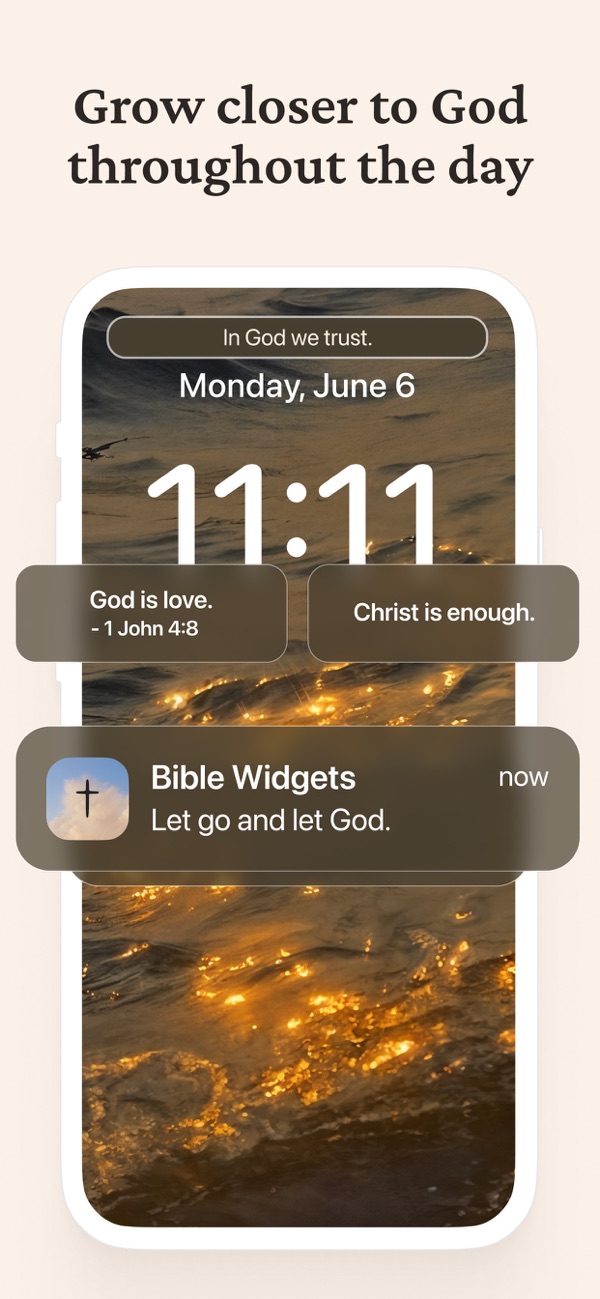
“iPhone: press and hold the Home Screen, tap <strong>+</strong> (or <strong>Edit</strong>, then <strong>Add Widget</strong>), search for Bible Widgets, choose a size and tap <strong>Add Widget</strong>. Android: press and hold the Home Screen, tap <strong>Widgets</strong>, and drag the Bible Widgets widget onto a page.”
3. Optional on iPhone: add the Lock Screen widget too
“Press and hold the Lock Screen, tap <strong>Customize</strong>, then <strong>Lock Screen</strong>, tap the strip under the clock and add the Bible Widgets rectangular widget. It has its own hourly setting.”
4. Open Widget settings in the app
“Go to your profile and tap <strong>Widget settings</strong>. Pick the widget you just added.”
5. Set Refresh frequency to Occasionally
“This is the hourly preset, one or two verses an hour. Choose <strong>Frequently</strong> for 8 to 12 a day or <strong>Very frequently</strong> for every few minutes. The Lock Screen widget has the same presets in its own settings.”
6. Choose the category
“For Scripture only, choose Bible verses; for a mix through the day, choose a topic such as Faith or Inner peace, or Favorites for verses you saved yourself.”
7. Add reminders for the hours that matter
“In the app's reminder settings, add a reminder at the times you want a verse to arrive as a notification, such as the start of work, lunch and the evening. The free version includes basic reminders; premium removes the limit.”
Frequently asked questions
Can the widget change exactly every 60 minutes?
Not to the minute. iOS and Android schedule widget updates themselves, so Bible Widgets offers presets. Occasionally is the hourly one, changing about once or twice an hour.
Does an hourly widget drain the battery?
No more than any widget. The app prepares its next verses in advance and the system shows them on schedule; there is no background polling. Very frequently uses slightly more than Occasionally.
Can I get an hourly verse as a notification instead?
Yes. Reminders in the app are notifications at the times you choose. Set several across the day for an hourly feel. Unlimited reminders are premium; the free version includes a basic set.
Does the hourly widget work on Android?
Yes, on the Home Screen widget. Android has no third-party Lock Screen widgets on most phones, so the Lock Screen step is iPhone-only.
Is the hourly setting free?
The widget is free. Refresh frequency presets are part of advanced widget customization, which is a premium feature; the free widget updates on the default rhythm.